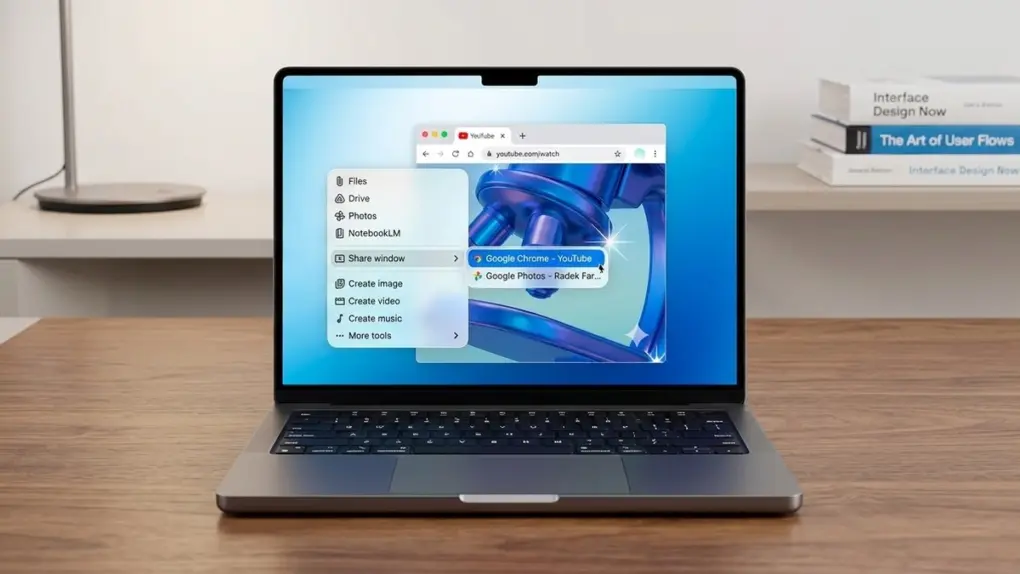
Google brought its Gemini AI assistant directly to Mac, launching a new native macOS app on Wednesday. The app makes it easy to share what’s on your computer’s screen with the AI.
It’s designed to be more tightly integrated with the user’s workflow than the web version.
Gemini for Mac signals Google’s move beyond the browser
While Google’s web-based Gemini made the AI widely accessible, it remains limited by running inside a browser. Mac users must keep a tab open and repeatedly switch to it, which disrupts workflows… and reduces the sense of Gemini as a personal assistant.
But Google says Gemini for Mac is built to provide “a more integrated way to get help from AI right on your desktop,” signaling a shift toward making AI a constant, system-level companion for Mac users.
Getting down to work with Gemini for Mac
Users can share a window on their screen with Gemini and ask for assistance. Or bring up the AI from anywhere on the Mac by typing Option + Space. It can even access local files if given permission.
“Whether you’re drafting a market report and need to verify a date or building a budget in a spreadsheet and need the right formula, you can get an answer and get right back to work,” promised Google in a blog post.
That said, Google’s blog post is light on details, but if you ask Gemini itself what its Mac app can do, the AI promises:
- Researching and summarizing complex documents: If you are reading a long PDF or technical report, you can share that window with the app and ask for a summary of the three most important takeaways.
- Coding and scripting assistance: You can share a window of a code editor to debug a script or ask for a specific formula for a spreadsheet you are building.
- Fact-checking on the fly: While online, you can use the Option + Space shortcut to quickly verify any fact without having to open a separate browser window or switch tabs.
- Creating high-resolution visuals: You can generate images with Nano Banana to serve as header art for a presentation directly within the app, then drag them into your project.
Plus, creatives can generate videos with Veo.
Ready and waiting
The Gemini for Mac app can be downloaded starting today, April 15. It’s available to all Gemini users over the age of 13.
To download, visit Google’s website.
To be clear, this isn’t Google breaking new ground. OpenAI’s ChatGPT and Anthropic’s Claude both already offer dedicated macOS apps. And Apple continues to build out its own AI features, with many more expected in macOS 27.
That said, much of the AI in the next version of macOS will be Gemini, courtesy of a deal between Apple and Google.
More to come
Google also used its blog post on Wednesday to promise that “this first release is just the beginning.” Additional features are already in development.
“We’re building the foundation for a truly personal, proactive and powerful desktop assistant, with more news to share in the coming months,” said the company.
While that’s all Google was willing to say today about Gemini for Mac, earlier reports indicated the company is working toward tighter integration with on-screen content and other apps, suggesting the assistant could eventually understand and interact with what’s happening across macOS in real time.

Ed Hardy has been writing full-time about tech for 25 years, and using it for much longer than that. His intro to Apple was a Macintosh SE/30 (which he still has), but now he uses a 13-inch iPad Pro as his primary computer.
That’s because he’s a “tablet first” type of guy. Rather than use a Macbook, he connects a keyboard case to the iPad. And instead of a desktop Mac, he connects his tablet to a 27-inch display and full-size keyboard. (So don’t try to tell him that everyone has to use a Mac to be productive.)
Before coming to Cult of Mac, Ed wrote for NotebookReview, TabletPCReview and Brighthand, as well as other sites.

